Theme Presets for Dashboard
You can now start a Dashboard theme from a built-in preset — Light, Dark, Dracula, Nord, or Sepia — and get a complete colour scheme in one step, instead of setting each colour yourself.
Every preset meets WCAG AA contrast, so your dashboard is readable on the first render. No checking dark-scheme text against its background before you ship. And nothing is locked: change any individual colour and the theme flips to Custom, keeping the rest of the scheme intact. New dashboards start on Light.
Dark themes adapt automatically. When a theme's page background is dark, Dashboard switches input fields, borders, chart and gauge colours, and the browser's native date and time pickers to match, so nothing sits light against a dark background. This applies to any dark theme you build, not just the presets.
To get started:
- In the Dashboard sidebar, click + Theme. The new theme starts from your default preset.
- Open it and use the Preset dropdown to switch schemes.
- To change which preset new themes start from, set the Theme preset dropdown in the sidebar.
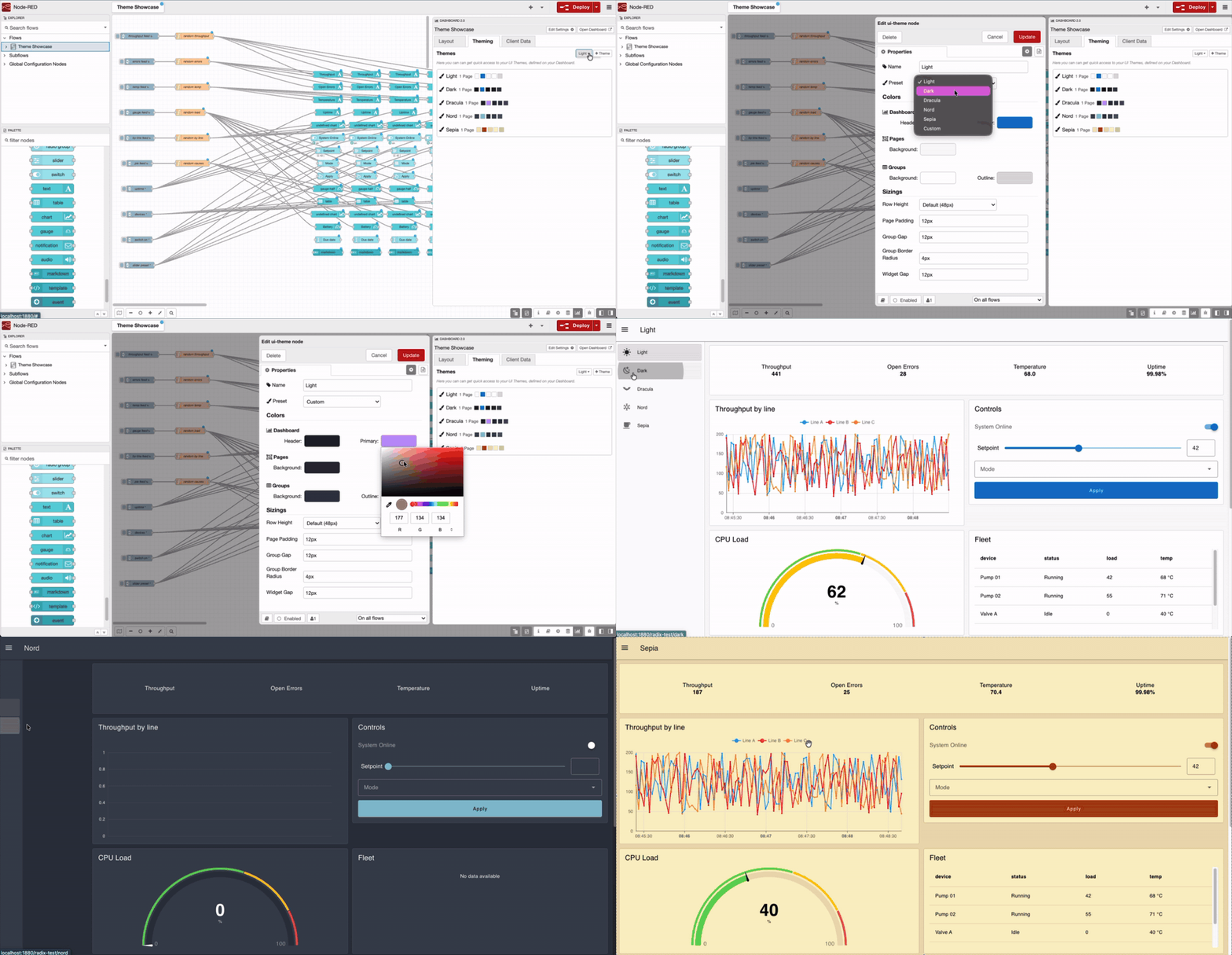 Switching presets updates every colour at once — the same dashboard, five schemes, no per-colour editing.
This feature is available to all FlowFuse Dashboard users on FlowFuse Cloud and Self Hosted, from Dashboard v1.30.3.
Written By:
Published on:
Recent Updates:
- Getting started with FlowFuse straight from the terminal
- FlowFuse Expert Can Now Work With Your Tables
- A Dedicated Home for Your Dashboards
- Application Roles from SSO Groups
- FlowFuse Expert Enhancements